How to buy via Purchase Order?

Hi educators, to ensure a smooth ordering process, we have prepared the following instruction manual for your reference. Please review the instructions carefully and follow them when placing orders with Robot Academy.

Request for Quote

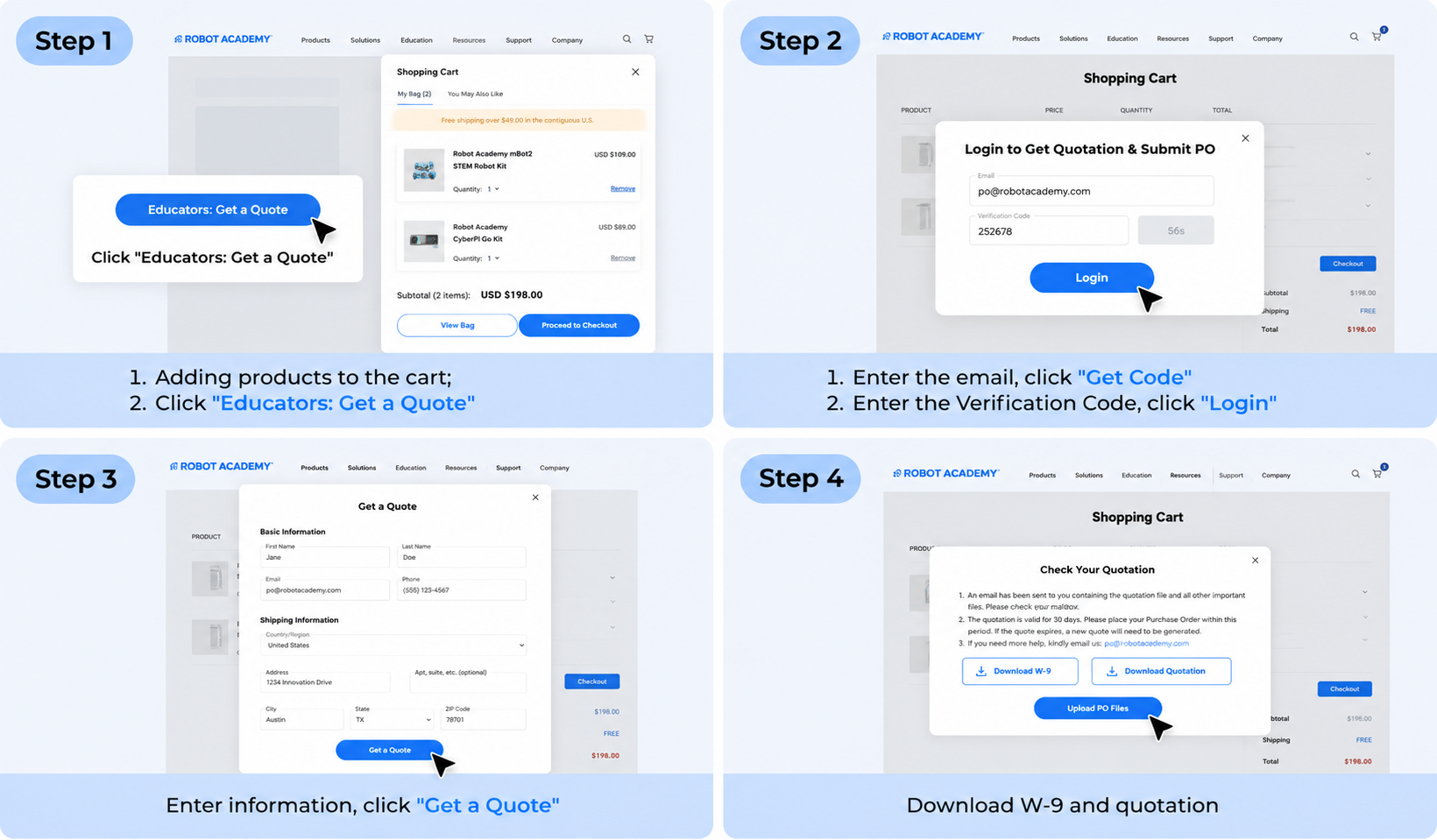
1. Add the item(s) you wish to purchase to the shopping cart.

2. Once all items are added, click on the shopping cart image in the upper right-hand corner of your screen.

3. Below the list of item(s) in your cart, click the Educators: Get a Quote button

4. Login. The email address used to upload the PO file must be the same as the one used to obtain the quotation.

5. Provide accurate customer information, delivery address, and contact details. (Users who have already successfully applied for a quote will call up the most recent information display; there is no need to repeat the fill-in). Click Get a Quote

6. Click Download Quotation and Download W-9 to get the quotation and W-9. You will receive an additional email from [email protected]. Included in the email are next steps on placing an order with a PO

*Talk with a Rep and Get a Quote
If you have questions about the best products for your classroom, and would like to talk to one of our Robot Academy Education experts prior to requesting a quote, please reach out to [email protected]. A member of our team will work with you to customize the best package for your classroom needs.

Place Order

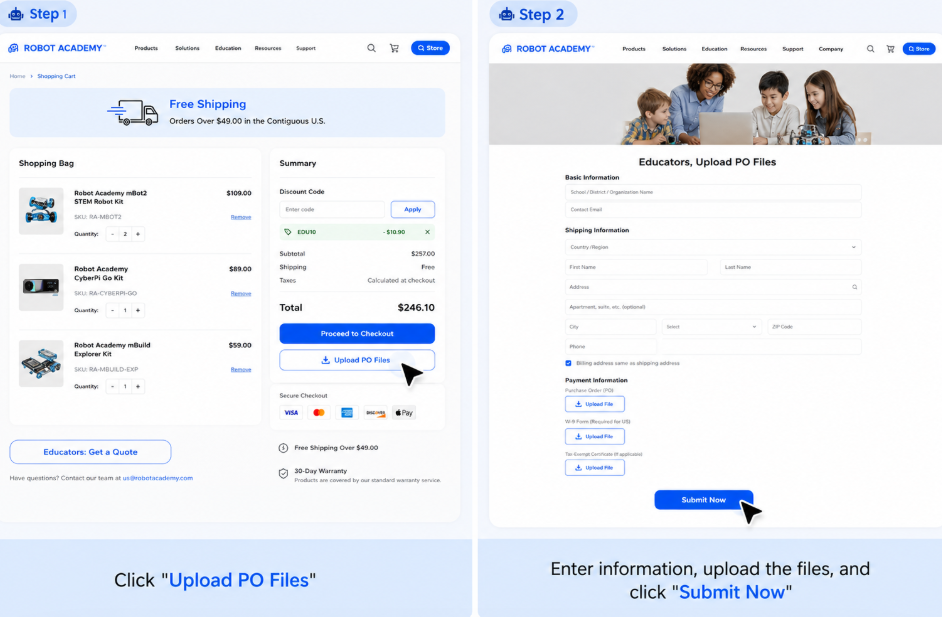
1. Click the Upload PO files button in the email to enter the page to upload PO.

2. Requires a one-time verification code to log in with the email address used to obtain the quote. If you are already logged in, please ignore this step.

3. Select the corresponding quotation and click Confirm. If there is only one quotation, ignore this step.

4. Upload the requested documents: 

     a. A PDF of your Purchase Order
     b. A PDF of School District/School’s W9
     c. Your tax-exempt certificate for the shipping address. (No tax exemption certificate to ignore)

5. Carefully read and agree to the PO term of service. Click Submit Now

If you have any questions or require further assistance, please don’t hesitate to contact [email protected]